blog
Testing my home lab backups by restoring them with no network
This post covers the September when a NAS disk died two days after passing its health check, and the restore drills I ran afterwards so I'd know my backups actually come back.
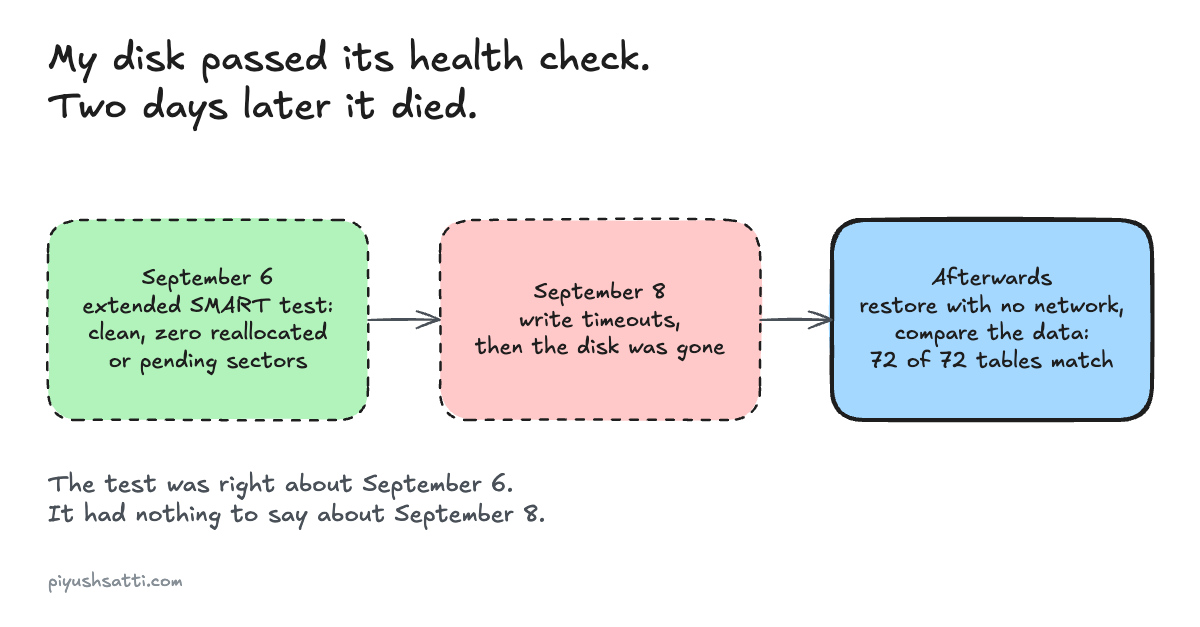
This post covers the September when a NAS disk died two days after passing its health check, and the restore drills I ran afterwards so I'd know my backups actually come back.
Hardware in this post:
- NAS disk: 6 TB Seagate, a single SMR drive with 63,666 power-on hours (now dead)
- Nightly copy of the NAS’s protected share: a separate 2 TB disk
- Proxmox Backup Server 4.2.6 on a dedicated 2 TB disk in the Intel box
- The Dell, where the file-server container ran
I had backups but not much proof
My first Proxmox box had nightly backups from day one, and I tested one restore end to end. By early September the NAS’s protected share had a nightly backup that had passed an isolated restore drill too. But the lab had grown, and most of its backups had green checkmarks without much proof that they’d come back.
The NAS disk passed its health check
I knew the disk was old, so it got rules. The “protected” share was copied nightly to the 2 TB disk and verified, while the “bulk” share had no backup on purpose. Databases, credentials, VM archives and backup repositories weren’t allowed on it at all. On September 6 a fresh extended SMART self-test came back clean (health PASSED, zero reallocated or pending sectors), and I marked it admitted.
Two days later it died
On September 8 at about 19:12 Eastern time the kernel started logging 30-second write timeouts and device resets. At 19:19 the drive answered with “Internal target failure” and ext4 aborted the protected partition’s journal. I shut the file-server container down at 19:48 and rebooted the Dell at 21:44, and the disk was simply gone from the device list. The SMART test was accurate about September 6, it just had nothing to say about September 8.
What the kernel reported, from my notes that night (Eastern time):
19:12  30-second write-command timeouts, aborted tasks, device resets
19:19  Hardware Error / Internal target failure / critical target error
       ext4: write failures on the protected partition, journal aborted
19:48  file-server container shut down cleanly
21:44  reboot; the disk no longer appears in lsblk or /dev/disk/by-id
I chose not to try recovery
The last good backup of the protected share was from 06:01 that morning, about 13 hours earlier, and by file name it held two macOS metadata files and no user documents. On September 10 I decided against any recovery attempt, so those 13 hours stay lost. I took both filesystem UUIDs out of fstab so a surprise reappearance couldn’t mount, and left the file container stopped. The file service stayed offline until I had a replacement disk.
The reboot also broke a different backup
My secrets store unseals manually on purpose, so the reboot sealed it. The 02:00 backup got HTTP 503, “Vault is sealed”, and the 04:00 verifier rejected the stale copy, which was the only reason I noticed. I unsealed it and added a seal-state check every 15 minutes. That one worried me more than the disk, because nothing told me until the verifier did.
I set up encrypted Proxmox Backup Server
On September 25 I installed Proxmox Backup Server 4.2.6 onto its own 2 TB disk in the Intel box. Its services won’t start unless that exact disk is mounted, so a missing disk can’t silently turn into backups on the boot drive. Backups are encrypted, and each host’s token can only create backups. The first real upload died about 1.175 GiB in when the Intel box dropped off the network, and I still don’t know why.
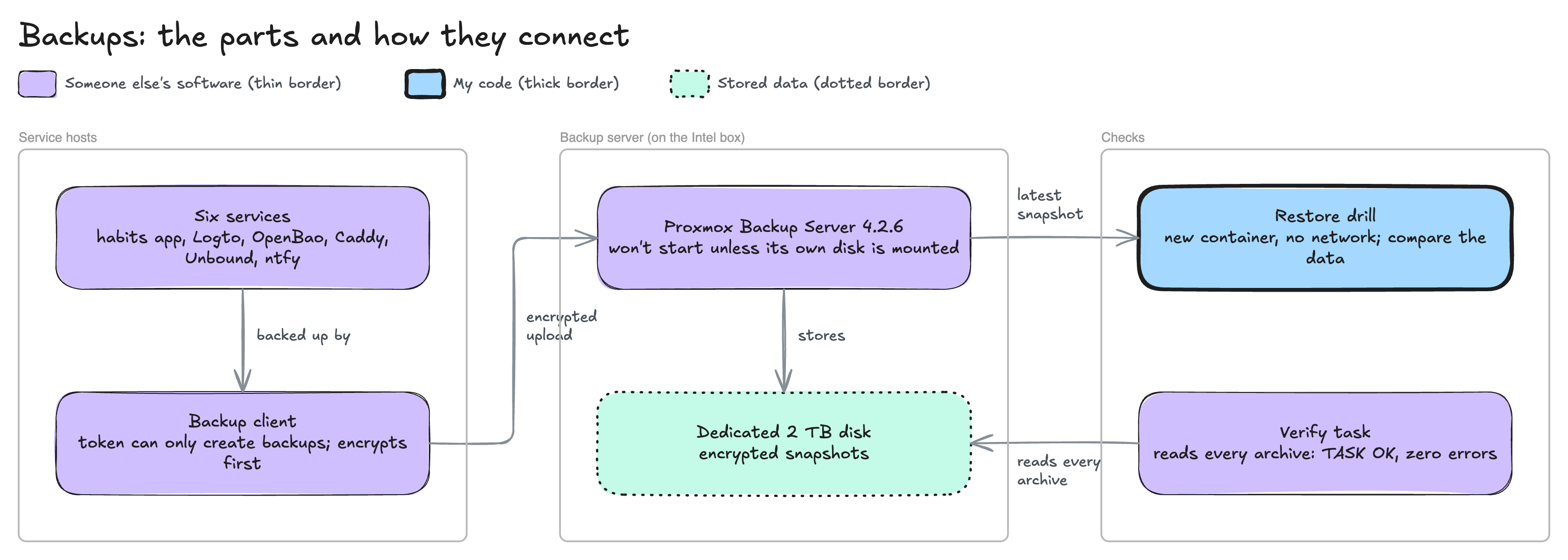
Restoring six services with no network
On September 26 I restored six services with nothing able to reach the outside world, which I started calling Airplane Mode: my projects and habits app, Logto (login), OpenBao (secrets), Caddy (gateway), Unbound (DNS) and ntfy (alerts). Each went into a new stopped container with its network interfaces, passthrough and hooks removed, and booted into rescue mode with Tailscale, Docker and other outbound services masked. From inside I checked for loopback only and no routes.
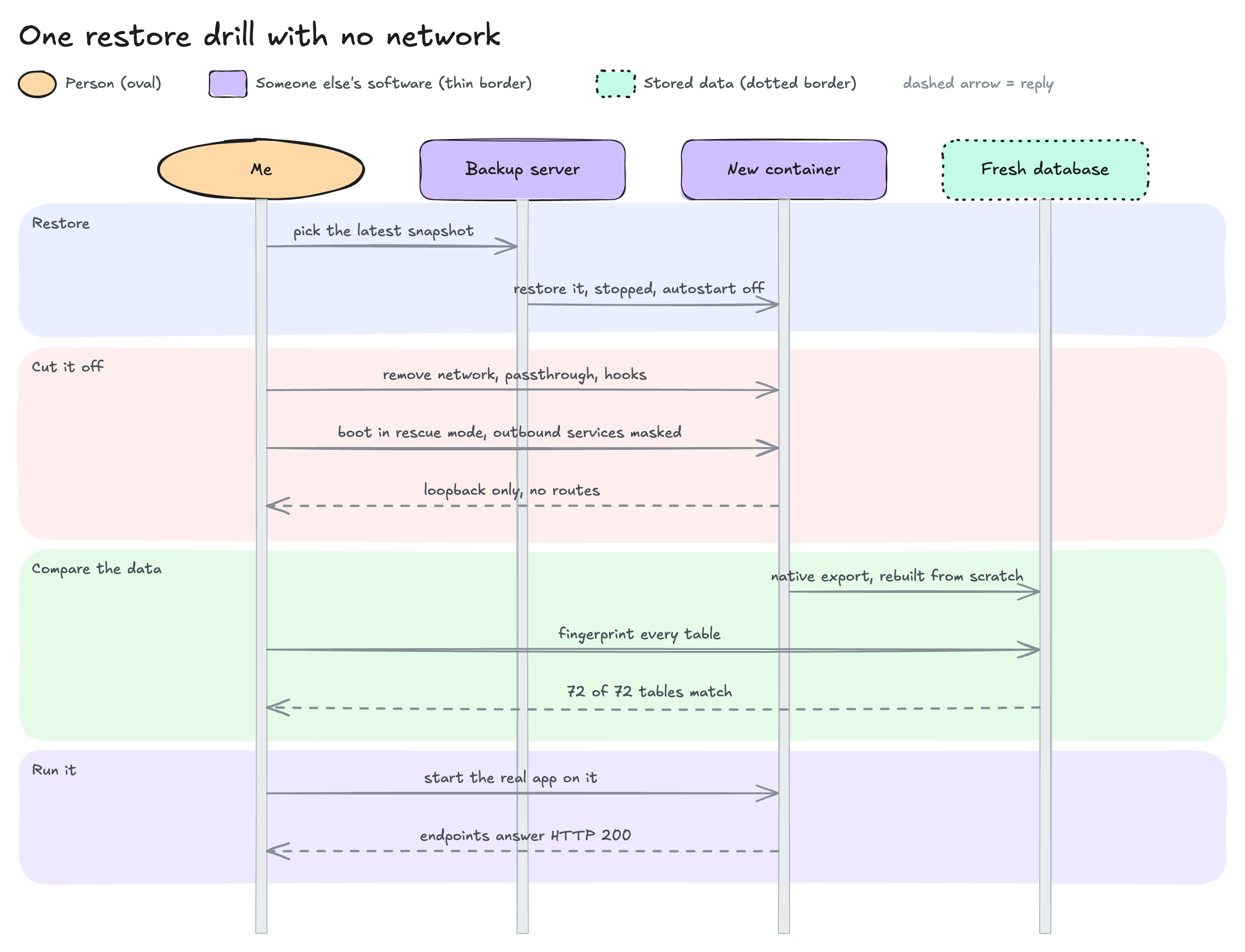
Then I compared the data
Booting proves very little on its own. The login database, rebuilt from its native export into a fresh PostgreSQL 17 cluster, matched on all 72 public tables, and Logto started on it and answered its discovery and key endpoints with HTTP 200. The habits app’s SQLite passed integrity with all eight table fingerprints matching. DNS answered my three local records over loopback. The session took about 21.5 minutes, which is not my full-fleet recovery time.
OpenBao took four tries
It came back sealed, as designed, and its snapshot restore failed three times on bugs in my own restore helper (one was hidden characters in a pasted token) before working at 19:06.
Doing it again from the encrypted snapshots
On September 27 I ran the same drill from the Proxmox Backup Server snapshots, and the 72 login tables matched again. I also checked the host tokens that day: an admin action with one got HTTP 403, which is the answer I wanted. The habits app’s restore was cut off at 89% when the Dell’s network card hung (network cards were not my friends that month) and passed on the retry. After two verified six-service backup cycles with zero errors, I turned on 48-hour timers.
The verify task after the first manual six-service cycle read all six new archives and ended TASK OK with zero errors:
| Service | Encrypted archive verified |
|---|---|
| Habits app | ok |
| Logto | ok |
| OpenBao | ok |
| Caddy | ok |
| Unbound | ok |
| ntfy | ok |
What I fixed afterwards, and what’s left
Since then I’ve put the file service back on a replacement disk, made a copy of the encryption key that I’ve proven works, and restored onto a freshly installed backup server. Nothing goes off these machines on a schedule yet. The only off-host copy is an older manual one on my laptop, so one bad week could still take a service and its backup together. The 2 TB disk under Proxmox Backup Server has 40 reallocated sectors and the Dell’s older service-backup disk has 80 pending, so neither counts as trusted capacity.